Convert PDF files quickly and easily

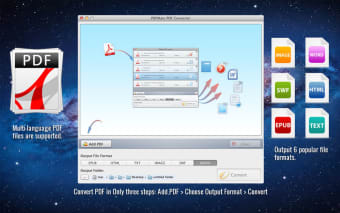
PDFMate PDF Converter is a computer application designed to convert PDFs to a number of different file types. Whether you work in Word, EPUB, HTML, Text, JPG or SWF, PDFMate PDF Converter turns your PDF files into text-based files that allow you to edit and save the contents. As a 6-in-1 converter, it’s handy for most users and gets the job done quickly and easily. Even with scanned files, PDFMate can convert them into editable files.

Top Recommended Alternative

Advanced technology

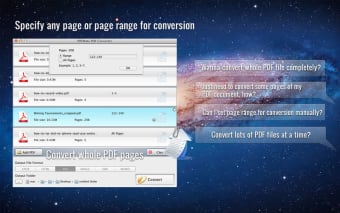
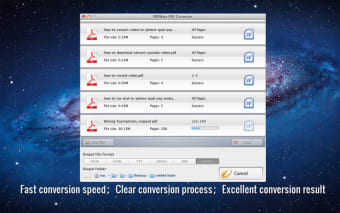
While a number of PDF converters exist are available on the market, PDFMate PDF Converter promises fast, user-friendly operation that provides a high-quality end product. With OCR technology, PDFs can be converted into editable files that preserve the original text layout and format. Each conversion can be completed in seconds flat and with batch conversions, you can save time while converting multiple files at once. The simple user-interface also ensures that conversions are quick and easy.

Highly customizable

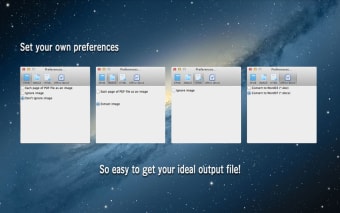
PDFMate PDF Converter is a 6-in-1 converted, meaning it converts files from PDF to any one of 6 different file formats, including Text, Word, HTML, JPG, SWF and EPUB. It works to convert all languages and layouts to maintain the structure of the original PDF file so that future editing can be performed quickly.
  • Pros

    • Batch conversions save time and effort
    • Preserves original PDF layout
  • Cons

    • Could use more output formats
    • Can’t break up PDF files
 0/4

App specs

  • License

    Full

  • Version

    1.51

  • Latest update

  • Platform

    Mac

  • OS

    Mac OS X 10.6

  • Language

    English

    Available languages

    • German
    • English
    • French
    • Japanese
    • Chinese
  • Downloads

    67

  • Size

    50.95 MB

  • Developer

Program available in other languages


User reviews about PDFMate PDF Converter

Have you tried PDFMate PDF Converter? Be the first to leave your opinion!

Add review

You may also like

Explore Apps

Latest articles

Laws concerning the use of this software vary from country to country. We do not encourage or condone the use of this program if it is in violation of these laws.
Softonic

Is PDFMate PDF Converter safe?

100/100

Score result: Clean

This file passed a comprehensive security scan using VirusTotal technology. It is safe to download.

  • Virus free
  • Spyware free
  • Malware free
  • Verified by Security Partners

    VirusTotal logo

Scan Info

Last scan
Sunday, December 17, 2023
Scan provider
VirusTotal · Full report

File Integrity

File
setup_pdf_converter.dmg
SHA256
3faa371c3147a2d1dee57c0b9bc6ee71348255401000e4b2d435a0ddd3cb738a
SHA1
6bee7bf013aebf98ac79e9a4900df939308b585b

Softonic security commitment

PDFMate PDF Converter has been thoroughly scanned by our advanced security systems and verified by industry-leading partners. This file comes from the official developer and has passed all our security checks, showing no signs of viruses, malware, or spyware. For more information, visit our Security and Trust Center